discounts pricing
Build a buy-one-get-one offer
Learn how to build a buy-one-get-one offer with a safe Juniper & Trail example, shopper impact, options, and recovery checks. BOGO has separate Buy and Get selectors plus a qualifying quantity and reward. The Get reward can be free, percentage off, or amount off; preview cart examples before launch.
Before you begin
- Choose the shopper behavior: visible price, code, quantity tiers, or BOGO
- Confirm eligible products and markets
- Define the intended revert outcome
Keep the campaign in Draft while you verify the configuration. Use a private storefront window where the guide changes shopper-facing behavior.
Step-by-step setup
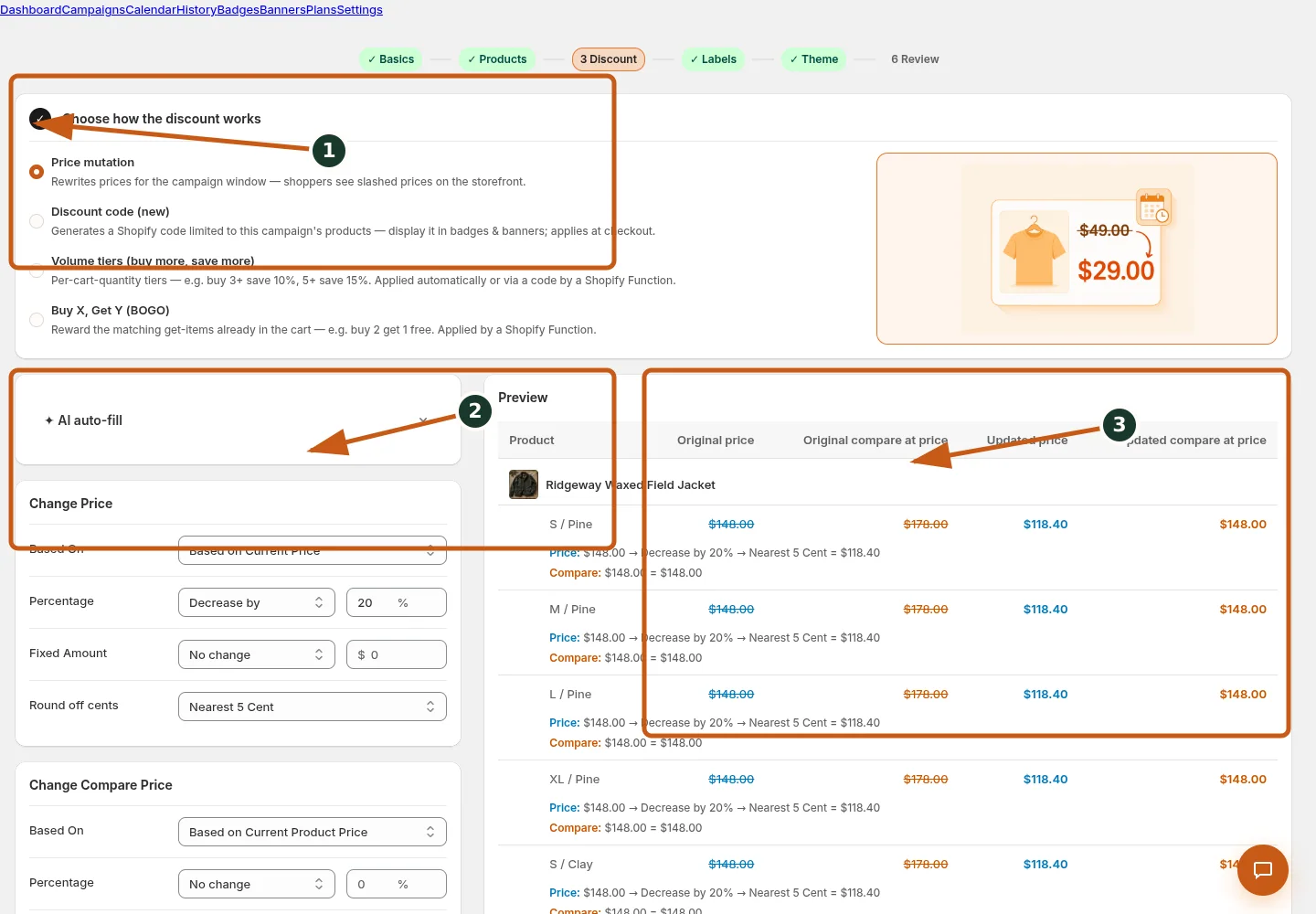
Select the discount route that matches the promotion.
Set the price base, percentage operation, amount, and rounding behavior.
Verify updated prices and compare-at prices for real Juniper & Trail variants.
- Choose BOGO and open Edit Tier Deals.
- For each qualifying row, set its minimum quantity and BOGO Buy quantity / Get quantity values.
- Choose the reward fields offered by the row and keep thresholds ordered; Get items must already be in the cart.
- Preview representative tier rows and mark a single Best value where useful.
- Choose Automatic at checkout or Discount code, then test incomplete and complete cart combinations.
BOGO has separate Buy and Get selectors plus a qualifying quantity and reward. The Get reward can be free, percentage off, or amount off; preview cart examples before launch.
Juniper & Trail example
Juniper & Trail tests the workflow for Build a buy-one-get-one offer on the Alder 18L Daypack and Roam 750 Steel Bottle. The team checks the product, cart, and restore consequences before launch. The documentation fixture uses realistic products, inventory states, variants, collections, and protected exclusions so the preview exercises the same decisions as a merchant catalog.
What shoppers will see
The cart outcome depends on the route: direct price changes catalog prices, while code and function-backed offers are calculated by Shopify when eligibility is met. Check the relevant result from product through cart where applicable. For shopper-facing work, compare desktop and mobile and verify both an eligible and an ineligible item.
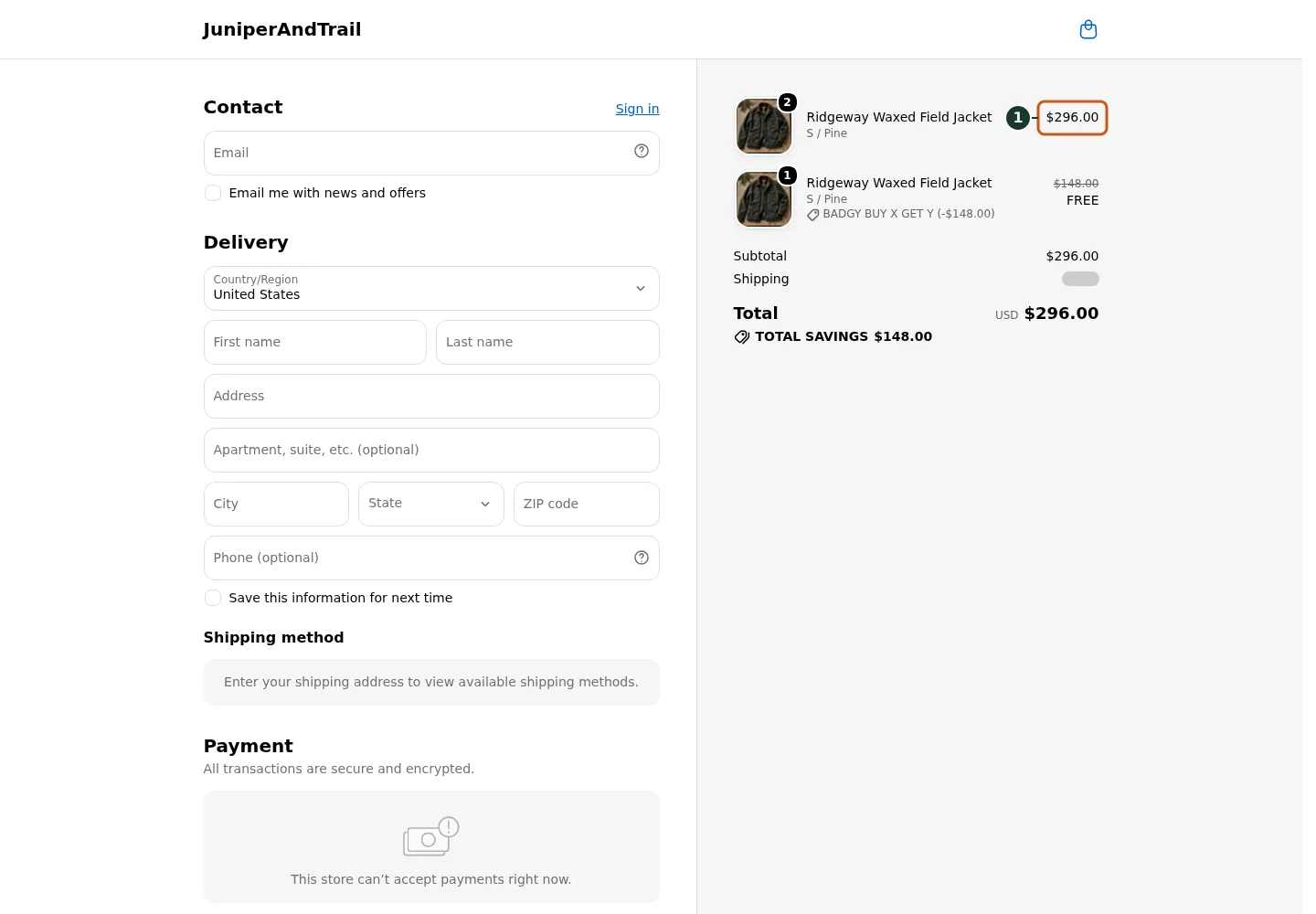
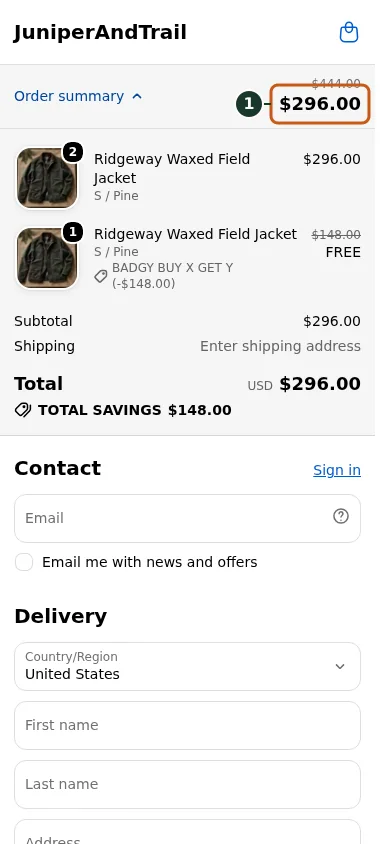
- Confirm the qualifying three-unit cart shows a $296 final total, proving one $148 Ridgeway jacket is free.
Common mistakes and troubleshooting
- Acting on the wrong shop. Confirm the Shopify store and campaign before following Build a buy-one-get-one offer.
- Trusting a stale preview. Refresh after catalog, schedule, discount, theme, locale, or market changes.
- Repeating a background command. Read status and History first; retry only when Badgy presents a recoverable failure.
- Skipping the consequence check. Confirm what changes for shoppers and what the end or restore path will do.
If the status reports revoked authorization, reconnect Shopify before retrying. If the result still differs from the preview, preserve the campaign ID and approximate time, then open support from this identified shop. Never send customer data, access tokens, or full catalog exports in feedback.
Related guides
Options reference
| Option | Use it when | Consequence | | --- | --- | --- | | Buy quantity | Set qualifying purchased units | Does not auto-add products | | Get quantity | Set rewarded units already in cart | Reward applies only when present | | Automatic | Apply eligible reward at checkout | No code | | Discount code | Require a code | Communicate exact code | | Best value | Highlight one row | Presentation only |
Badgy behavior in this guide is reviewed against the repository's shipped UI, service rules, and feature design documents. Shopify-owned theme, Markets, Flow, billing, and discount behavior can also depend on the store's Shopify configuration; consult the Shopify Help Center for that platform configuration.